
































Working in Conserio
Search
Search messages across all your accounts, with filters for sender, channel, files, links and date, and quick switching with Cmd+K.
Applies to: macOS, Windows
Search messages
Choose Search messages at the top of the sidebar, or press Cmd+F (macOS) or Ctrl+F
(Windows). Type at least two characters. Results appear while you type, with the company, the
conversation, the sender and the time. Click a result to go to the message.
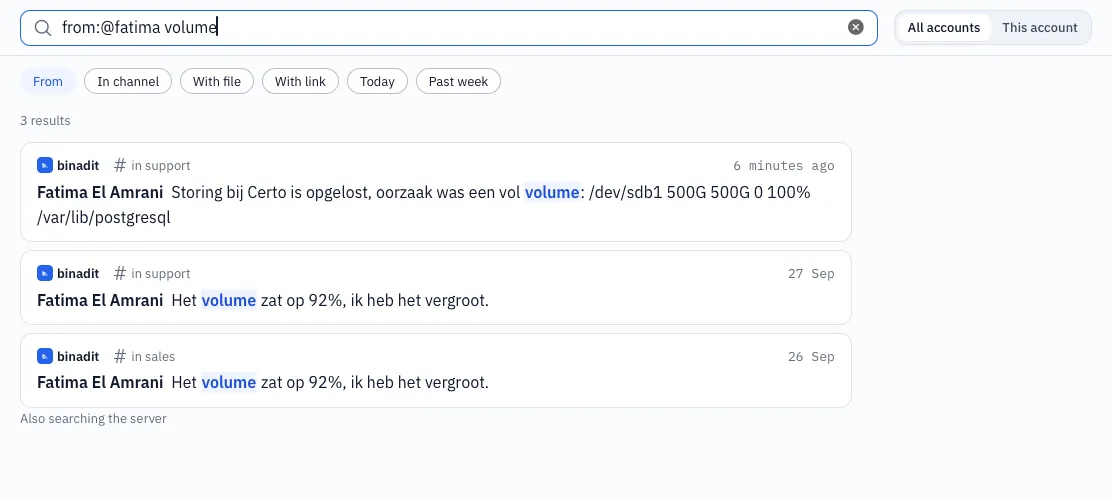
- All accounts searches all your companies, This account only the company that is open.
- Conserio first searches the messages stored on this computer. You see those results at once, also without a connection.
- Then Conserio also searches the server of each company, in the whole history. What it finds there in addition appears below, under Also on the server; a message is never listed twice. If the server cannot be reached, you see that below the results and the results from your computer stay.
Filters
The buttons below the search field put a filter in your query: From, In channel, With file, With link, Today and Past week. Click again to remove the filter.
You can also type filters yourself, in English or Dutch:
| Filter | Example | Finds |
|---|---|---|
from: or van: | from:@wesley | Messages from Wesley |
in: | in:#sales | Messages in #sales |
has:file or heeft:bestand | has:file quote | Messages with a file |
has:link or heeft:link | has:link | Messages with a link |
on: or op: | on:2026-10-01 | Messages from that day |
after: or na: | after:2026-09-01 | Messages from that day on |
before: or voor: | before:yesterday | Messages before that day |
For a date you can also type today or yesterday. Filters can be combined: from:@fatima in:#infra has:link backup.
The filter buttons put the form of the app language in the field (from:@, has:file). Both
forms work, and a button also recognises a filter you typed in the other language.
Quick switching
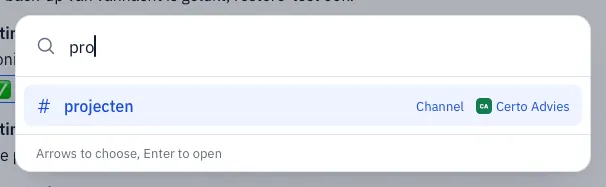
Cmd+K (macOS) or Ctrl+K (Windows) opens Go to: find a channel, person or recent
conversation across all your companies. Choose with the arrows and open with Enter. Esc closes
the window.