

































Binadit Drive
macOS Version 0.1.7 Not available yet.
macOS 13.0 or newer, Apple silicon and Intel
Linux Version 0.1.7 Not available yet.
64-bit Linux, x86_64
Binadit Drive
A sync drive built from the ground up by Binadit: one program on a server in the Netherlands or on your own Linux server, and your folders in the Finder as if they were local. No licence per user, no Docker, no American cloud in between.
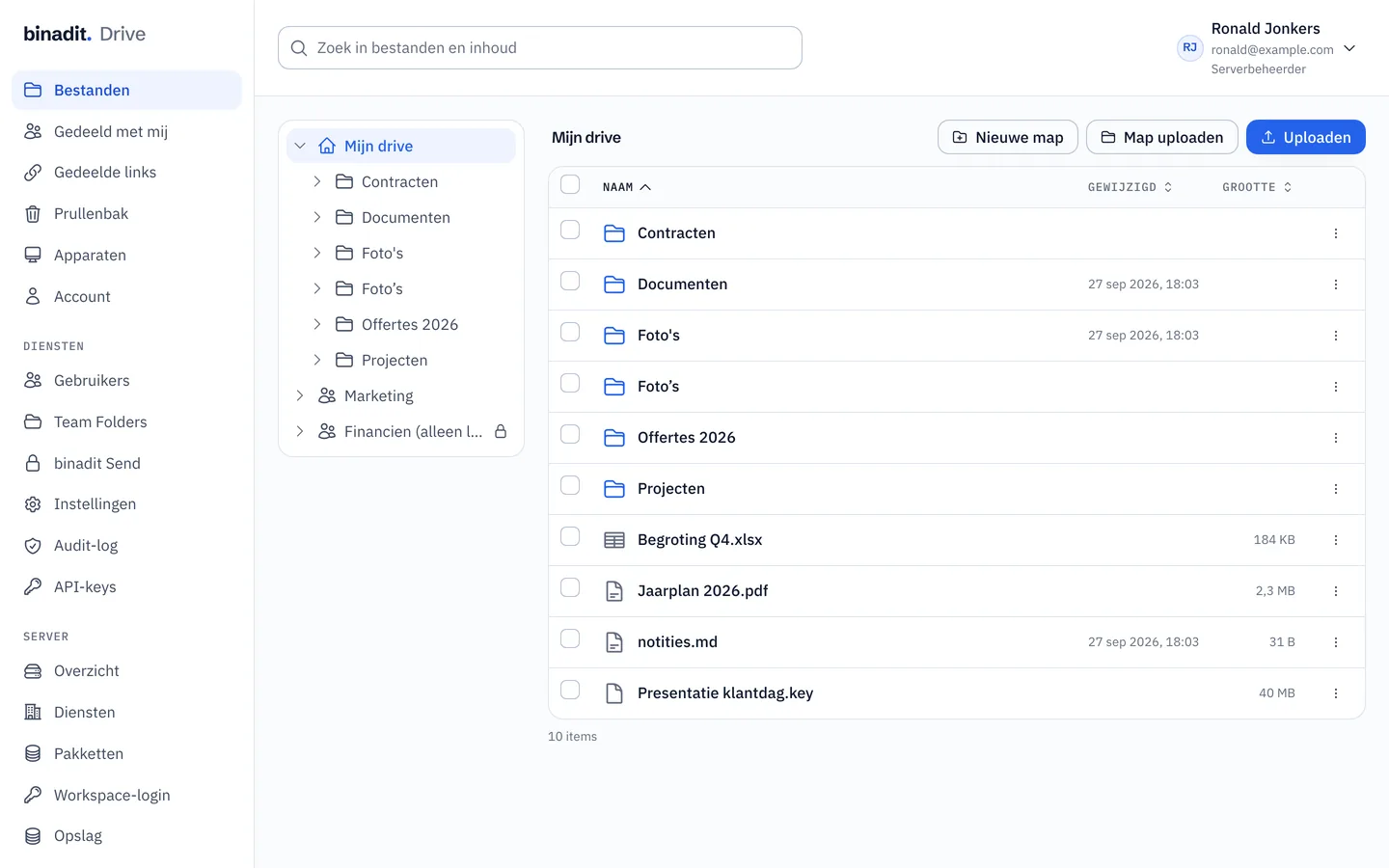
No Nextcloud, no Synology, no rebranded cloud. The server, the sync engine and the apps are Binadit's own code, written in Rust. That is why it is fast, why it runs on one small server, and why nobody else has a key.
Your folders appear in the Finder with a cloud icon. A file is fetched the moment you open it and stays local if you pin it. A laptop with a small disk holds a drive of terabytes.
Files are cut into chunks with a fingerprint. Change one page of a large document and only that piece travels. Identical chunks are stored once, so a copied folder costs no extra space.
A read link for a file or folder, valid for as long as you choose, 30 days at most. Team folders give colleagues rights per folder, with a quota of their own.
Binadit Receive lets anyone send you large files without an account. Names and contents are encrypted in the browser before they leave, the password never travels with the mail, and everything is deleted after the retention period.
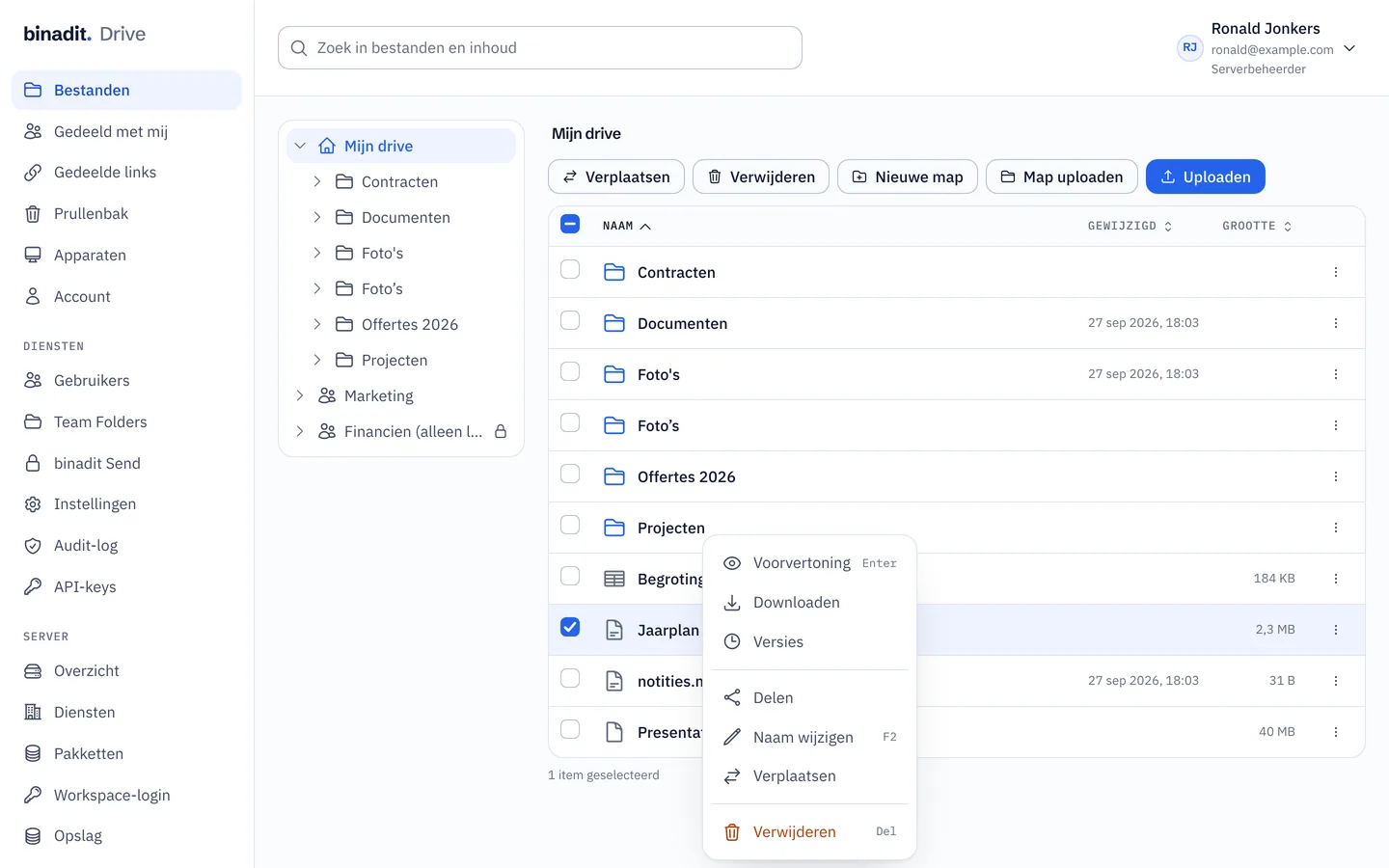
Every change is a version you can restore; deleted files wait in the trash. Search looks inside PDF, Word and Excel files, on the server, so it is just as fast from your phone.
Retention periods, legal holds, mail filed with the case and working with people outside your company, without a second system next to your drive. You turn it on per team folder; until you do, the team folder works as it always has.
Set per team folder how long files are kept, from 1 to 30 years, for example 7 years for the accounts. Deleting still works; permanent deletion only once the period has ended. What has reached that point appears in a list you confirm first. That helps with statutory record-keeping.
Freeze a folder, a file or a whole team folder, with a reason. Nobody can then change, move or delete anything, not through the editor or a share link either; reading and downloading still work. An administrator can freeze a team folder without seeing what is in it.
Download a report per team folder of every kept version with its fingerprint and retention date. It is digitally signed, so an accountant or lawyer can check that nothing in it was changed.
Every file and folder in a team folder has an activity list: created, edited, renamed, moved, deleted, restored. If you want, the team folder also records who opens files; members then see a notice that it does.
An info panel next to your files shows the details, versions and activity of what you select. Open it with the i button or the i key.
Whatever is under a legal hold is read-only in Finder, Windows Explorer and on Linux, with its own marker in Finder. If someone changes it anyway, the app puts it back and keeps the change as a copy.
Save to Drive puts a message from the webmail or Northmail into a team folder, as an .eml file with its attachments. Drive gives it a fixed name with date, subject and sender, recognises a message that is already there, and shows it in the portal as an ordinary message.
Invite a client or adviser into one team folder, with an end date. A guest signs in with a code sent by email, sees only that team folder, and may view or also add documents. What a guest does shows in the activity, and one click withdraws access.
Create groups such as Finance or Management and give a group access to a team folder. Whoever joins a group gets the team folder on every device by itself; whoever leaves loses it again.
Document management comes with Team Drive at no extra cost. Record-keeping obligations remain your company's responsibility: if you cancel, we delete everything, including what is still within a retention period. So download the retention report and your files beforehand.
Install the app, sign in with your Workspace account or a Drive account, and your drive appears in the Finder. Several servers and accounts side by side is fine.
Save, rename, move: the Finder is your interface. Changes reach the server within seconds and every other device shortly after.
Links, team folders, versions and Binadit Receive live in the web portal, in the same style as the rest of Workspace.
Signed for macOS 13 and newer and for Windows. Updates come from binadit.work. Downloads
macOS 13.0 or newer, Apple silicon and Intel
64-bit Linux, x86_64