

































English
Sign in Request a demo

Northmail

The mail program Outlook should have become

Three panes, dense rows, keyboard shortcuts you already know, and every account as an equal: Workspace, Exchange and Gmail side by side. Free, without ads, with an assistant that runs on your own computer and never sends a word out.

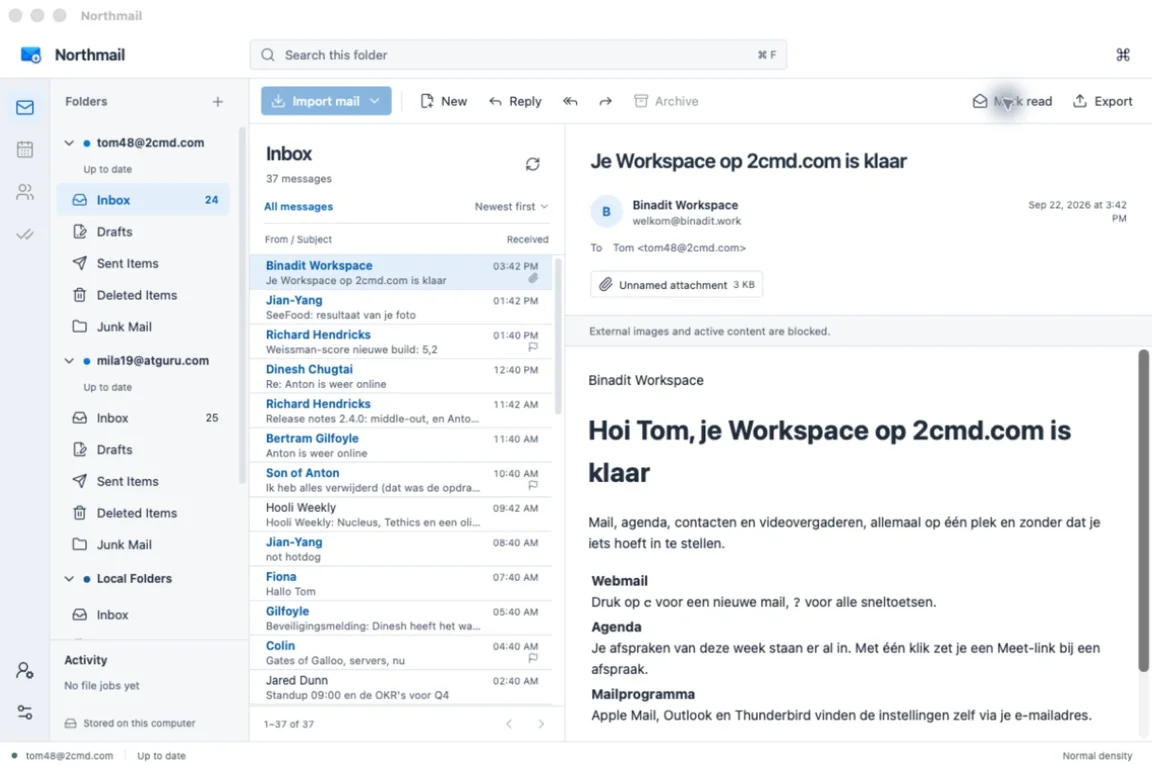
The Northmail inbox with two accounts and a message open

What makes it different

AI that never leaves your computer

The assistant runs locally, with an open model you download once. Rewrite a selection in another tone or language, turn a few keywords into a draft, get reply suggestions. No mail, prompt or index ever goes to a cloud, and nothing is sent without you seeing it first.

Classic Outlook, 2026 edition

Folder tree per account, message list and reading pane, reading pane where you want it, the shortcuts you remember. Dense by default, so a whole day fits on one screen.

Every account is a peer

Binadit Workspace, on-premises Exchange and Gmail in one window, each with its own folders, calendar and contacts. No primary account, no compromise.

Move anything anywhere

Drag a folder of five thousand messages from Exchange into Workspace and it arrives complete, with dates, flags and attachments intact. The transfer resumes after a lost connection and reports what it did.

Offline first

Your mail, calendars and contacts are stored on your computer for the sync window you choose. Search, read, write and organise on the train; it syncs when you are back.

Finds your settings itself

Type your address and Northmail finds the server. Passwords go into the system keychain, updates are signed and come from binadit.work.

Under the hood

Core
Rust: the store, sync and transfer engine; the interface runs in a native window
Protocols
JMAP for Workspace, IMAP and SMTP, Exchange Web Services for on-premises Exchange, Gmail
AI
Local llama.cpp runtime with Gemma models from Hugging Face, verified with a checksum, opt-in, removable
Privacy
No telemetry, no account with Northmail, no remote images unless you allow them
Platforms
macOS 13 and newer, and Windows 10 and newer
Price
Free, for everyone, without ads or upsell
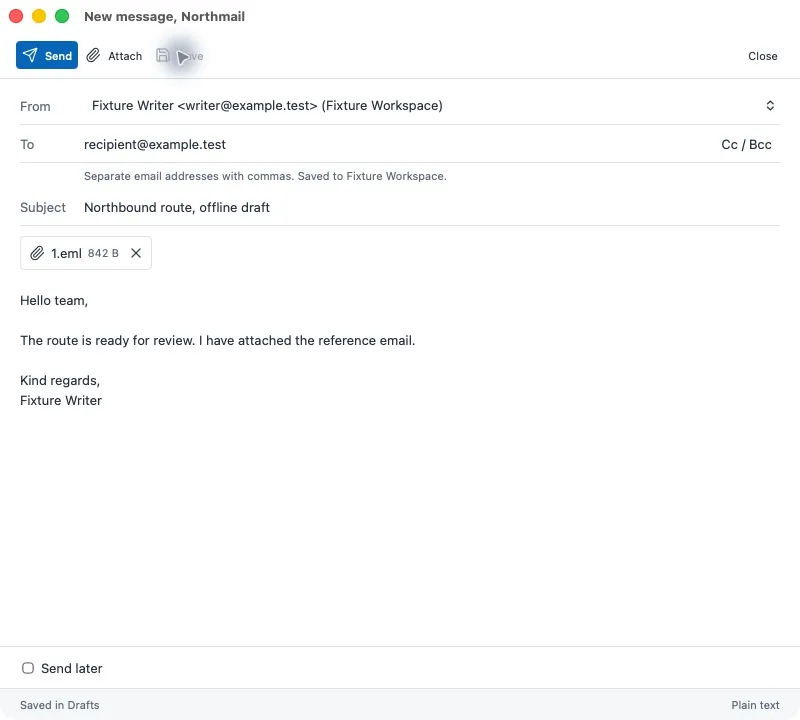
Writing a new message in Northmail

How it works

  1. Add an account

    Enter your email address. Workspace accounts are detected automatically; Exchange and Gmail take a minute more.

  2. Mail arrives in the background

    Headers first, then the bodies, for the window you chose. Everything stays on your computer, encrypted by your system.

  3. Switch on the assistant if you like

    After the first account Northmail asks once. Choose a model that fits your computer, wait for the download, and it works, even without internet.

Get Northmail

Signed for macOS 13 and newer and for Windows 10 and newer. Updates come from binadit.work. Downloads

Northmail

Northmail 0.1.16: removing an account now cleans up its mail, calendars and contacts reliably in the background, also after a restart. Signed and notarised by Apple.

macOS Version 0.1.16

macOS 13.0 or newer, Apple silicon and Intel

Released
30 September 2026
Size
76.5 MB
Build
0.1.16
File
Northmail_0.1.16_universal.dmg
SHA-256
d408e130ee4c405d891f2ac04dfa8e7b1385eaaa51ff1d46b9d113cf02d3b68a
Windows Version 0.1.16

Windows 10 or newer

Released
30 September 2026
Size
24.1 MB
Build
0.1.16
File
Northmail_0.1.16_x64-setup.exe
SHA-256
06b4a580df8d083bfd2760eef9bc891b94f32e8dbd1ca083b0a0d47955cdbf5b