

































Getting started
Mobile apps
What the apps for iPhone and Android can do now, and what only works on the computer.
Applies to: iPhone, Android
This manual is available in English and Dutch.
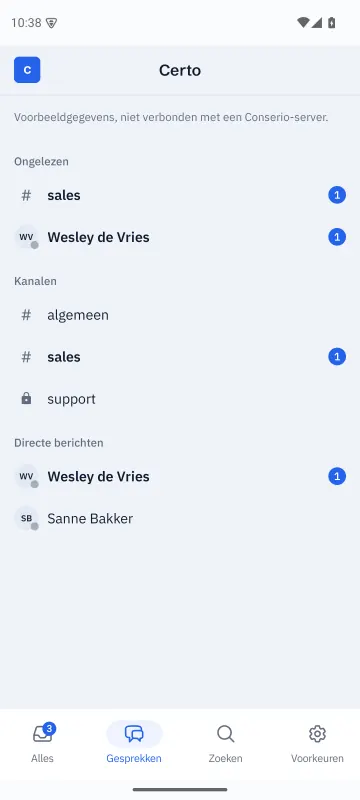
Conserio is also available for iPhone and Android. The apps are not in the App Store and Google Play yet. The screenshots show the apps in Dutch.
What the apps can do
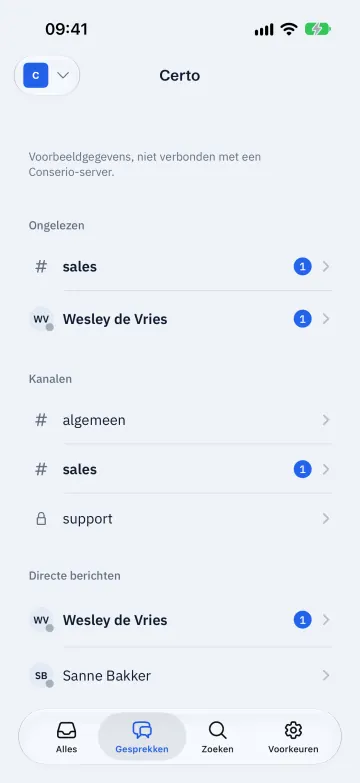
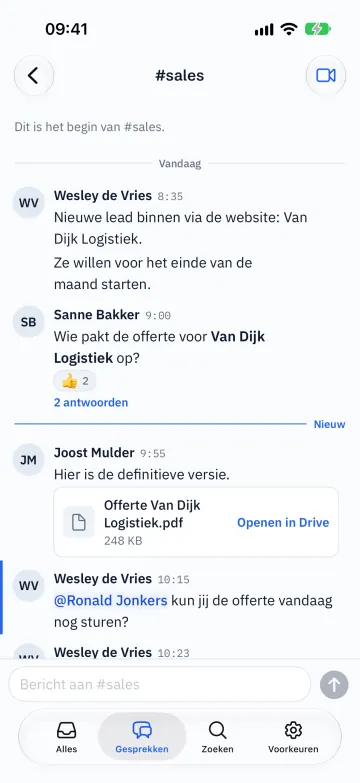
- Sign in as on the computer, also with Sign in with a code, and several accounts side by side. Switch with Other account.
- Four tabs at the bottom: All, Conversations, Search and Preferences.
- Read and write in channels, direct messages and group conversations, with threads.
- React with an emoji, edit and delete your own messages, copy text.
- Code blocks with the same colours as on the computer, with Copy and Show all.
- Search the messages on your phone, and go straight to a channel or person.
- Start and join Meet calls.
- Open file cards in Drive, also files received from outside.
- Preferences: theme, density, notifications and sound per account, sign out your devices and sign out accounts.

Push notifications
Your phone gets a notification for a direct message, a mention or one of your keywords, unless you were active on a computer in the last two minutes. The notification names the company and the conversation. Its content is encrypted for your phone: Apple and Google cannot read it. See Privacy and security.
Only on the computer for now
- The formatting bar and formatting shortcuts.
- Creating, browsing, joining, leaving and archiving channels, and managing members.
- Quoting, forwarding, pinning, marking unread and links to messages.
- Saving with a reminder, sending later and drafts that survive a restart.
- Setting a status, do not disturb, working hours and keywords.
- Sharing files, planning a meeting and your next appointment on screen.
- Your own sections in the sidebar.
- Answering with a ringing screen: on the phone you see a call as a card and join with Join.